AIDEMD - Cascading Intent Into Code
Published: 4/14/2026
Your Agent Is Smarter Than You Think
Your AI coding agent can write a full-stack feature in minutes. It can refactor a module, add tests, wire up an API. The capability is there.
So why does the output keep drifting?
Not from the code itself — the code compiles, the tests pass. The drift is subtler. The naming matches your conventions. The module structure fits how the rest of the app is organized. The feature works, but it doesn’t belong.
This isn't a capability problem. It's a context problem. Your agent has no idea what your app is for. Not at the level that matters — not the business goals behind the architecture, the domain knowledge that shaped your decisions, or the outcomes you committed to when you designed the system. It can read your code. It can't read your intent.
And nothing in the current tooling ecosystem solves this.
What’s Actually Missing
Rules files were a good first step. .cursorrules, CLAUDE.md, .github/copilot-instructions.md — every AI coding tool now ships one. They let you say “use camelCase” and “prefer functional components” and the agent listens.
But rules files are flat. They don’t scale past naming conventions and formatting preferences. Try encoding your domain strategy in a rules file. Try explaining why your checkout flow reserves inventory before charging payment, or why your order saga has four stages instead of two. You end up with a wall of text the agent reads on every session — burning context on things that only matter when the agent is actually touching that module.
Three things are missing, and they solve three different gaps:
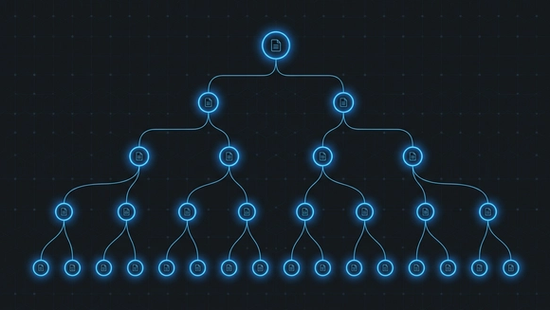
Cascading intent. Not a single flat file — a tree of specs flowing from the project root down to individual modules. Each level narrows what “good” means for that scope. An agent walks the tree from root to leaf and has the full context for any module without reading every spec in the project.
Progressive disclosure. Agents should be able to stop at the shallowest layer that answers their question. The folder structure tells you what. The function signatures tell you how things connect. The orchestrator body tells you the sequence of decisions. Most of the time, the agent never needs to go past the folder tree. That’s the point.
Intent specs. Structured contracts that live next to the code they govern. Not README prose. Not inline comments. A short, falsifiable document that says: here’s what this module is for, here’s what success looks like, here’s what failure looks like. The agent reads the spec before it reads the code — and the spec is what it builds from, plans from, and validates against.
A Real .aide Spec
This is easier to show than explain. Here’s what a spec looks like for a module that creates orders in an e-commerce platform:
scope: src/service/order/create
intent: >
Validate a cart, reserve inventory, charge payment, and emit a
confirmed order. A customer who sees “order confirmed” and
doesn’t receive their items is the worst outcome — worse than
a declined payment, worse than a stockout error. Every step
must either fully succeed or cleanly roll back.
outcomes:
desired:
- Inventory is reserved before payment is charged. A charge
without reserved stock is a promise the system can’t keep.
- Every confirmed order maps 1:1 to a payment capture and
a stock reservation. No orphaned charges, no phantom
reservations.
undesired:
- Payment is captured but inventory reservation fails. The
customer is charged for items that may not ship.
- Two concurrent orders for the last unit both succeed.
One customer gets the item; the other gets an apology
email and a refund three days later.

Context

The order module sits downstream of the cart and upstream of
fulfillment. Its input is a validated cart with line items,
quantities, and a payment method. Its output is a confirmed
order record with a reservation ID and a payment capture ID.

Strategy

Execute as a saga: validate → reserve → charge → confirm. Each
step is individually reversible. If charge fails after reserve
succeeds, release the reservation. If confirmation fails after
charge succeeds, void the capture and release the reservation.

Inventory reservation uses optimistic locking with a version
check — two concurrent requests for the last unit will race on
the version, and exactly one will win. The loser gets a stockout
error before payment is ever attempted.

Never charge before reserving. The reservation is the promise
that the item exists. The charge is the promise that the customer
will pay. Reversing a charge is expensive (processor fees,
customer trust); reversing a reservation is free.

Good examples

A customer orders 2 units of a product with 3 in stock. The
module reserves 2 (stock drops to 1), charges the card, and
emits a confirmed order. A second customer ordering 2 units
of the same product hits the reservation step, sees only 1
available, and gets a clear stockout error — no charge attempted.

Bad examples

A flash sale drives 50 concurrent orders for a product with
10 units. The module checks stock (10 available), all 50 pass
validation, all 50 attempt to charge. 40 customers are charged
for items that don’t exist. The system now owes 40 refunds and
40 apology emails. The reservation step was a read without a
lock — it answered “is there stock?” instead of “can I claim
this stock?”

References

research/saga-patterns/e-commerce-checkout — Saga vs. 2PC
trade-offs for checkout flows

research/inventory-locking/optimistic-vs-pessimistic —
Throughput and correctness data under concurrency
That’s the whole thing. Frontmatter is the contract — scope, intent, what success looks like, what failure looks like. Body sections are the strategy: context, approach, concrete examples of good and bad output, and references to the research that informed the decisions.
An agent reading this spec knows what the module does, why it does it that way, what traps to avoid, and what good output actually looks like. Before it opens a single source file.
The Cascading Intent Tree
That spec doesn’t live in isolation. It inherits from its parent.
At the project root, there’s a root intent spec — the top of the tree. It captures what the entire application is for, the project-wide success criteria, the failure modes that apply everywhere. Every spec below it inherits that context and narrows it.
project-root/
├── .aide/
│   └── intent.aide          ← “This platform handles the full
│                                e-commerce lifecycle: catalog,
│                                cart, checkout, fulfillment.”
├── src/
│   ├── .aide                 ← “src/ implements the service
│   │                            layer: cart management, order
│   │                            creation, payment, shipping.”
│   └── service/
│       └── order/
│           ├── .aide             ← “order/ owns the full order
│           │                        lifecycle: creation, updates,
│           │                        cancellation, refunds.”
│           └── create/
│               ├── .aide         ← The spec above — inherits
│               │                    all three parents, narrows
│               │                    to checkout.
│               ├── index.ts
│               └── helpers/…
An agent navigating this tree reads root → src → order → create. By the time it reaches the module spec, it has the full picture: what the app does, where the order domain fits in the service layer, and what this specific module must produce. Four reads. No onboarding conversation. No “let me explain the project to you” prompt.
The rule: if a child spec could be copy-pasted into a sibling folder and still make sense, it’s too generic. Push it up. Each spec says only what’s specific to its scope.
Progressive Disclosure — How Agents Actually Read Code
The intent tree handles why. Progressive disclosure handles how — the code itself, structured so agents can stop early.
Three tiers, each deeper than the last:
Tier 1: Folder structure. Zero files opened. Every module is a folder named after its default export. The folder tree is the architecture.
src/service/order/create/
├── validateCart/
│   └── index.ts
├── reserveInventory/
│   └── index.ts
├── chargePayment/
│   └── index.ts
├── emitConfirmation/
│   └── index.ts
└── index.ts              ← orchestrator
An agent looking at this tree already knows: the module validates the cart, reserves inventory, charges payment, and emits a confirmation. No files opened.
Tier 2: Orchestrator imports + JSDoc. One file opened. The orchestrator’s import list plus JSDoc on each function gives you the complete data flow. You know what each helper does, what it takes, what it returns. Still haven’t read a single function body.
Tier 3: Function bodies. Only when the task requires it. If you’re fixing a bug in reserveInventory, drill in. If you’re adding a new top-level step to the pipeline, Tier 1 and 2 are enough.
Agents re-learn the codebase every session. Progressive disclosure is what keeps that re-learning cheap. The less an agent reads to find what it needs, the more context it has left for the actual work.
Three Layers: Brain, Spec, Code
AIDE separates what most codebases collapse into one layer.
Brain — durable knowledge that lives outside the project. Domain research (how e-commerce checkout flows actually work), engineering conventions (how this team writes code), prior decisions and their reasoning. This layer persists across projects and across sessions. It’s the stuff that doesn’t belong in a repo but that every agent needs access to.
Spec — the .aide files. Intent contracts that live next to the code they govern. Strategy, outcomes, domain examples. This is the contract layer. When the intent changes, the spec changes first, and the code follows.
Code — the current expression of intent. Ephemeral. Replaceable. If the spec says the module should work differently, the code is wrong — even if the tests pass.
Most people only have the code layer. Some have a rules file, which is a thin slice of the brain layer jammed into the repo root. AIDE gives each layer its own place and its own lifecycle. The brain accumulates over time. The spec evolves with the domain. The code gets rewritten as often as it needs to.
One Person, an Entire Codebase
I didn’t design AIDE for agents. This is how I’ve always written code.
Folder-as-architecture. Orchestrator/helper at every layer. Names that read as sentences. Progressive disclosure so you can navigate a module without opening every file. I was doing this before AI coding agents existed, because it’s the only way I’ve found to keep an entire system in my head as a solo engineer.
Agents just happen to consume it natively. The same structure that lets me scan a module in seconds lets an agent scan it in tokens. The same hierarchy that keeps my mental model intact keeps the agent’s context window focused.
But here’s what changed: agents produce code fast. Fast enough that without hierarchical intent, a solo engineer loses the ability to hold the system in their head within weeks. The codebase grows faster than your understanding of it. AIDE is how you keep up — not by reading more, but by organizing intent so that both you and the agent can stop at the shallowest layer that answers the question.
The Pipeline
AIDE isn’t one agent doing everything. It’s a pipeline of specialized agents, each with one job and fresh context every stage.
Three phases:
Define intent. A spec writer distills your requirements into .aide frontmatter — scope, intent, outcomes. A domain expert optionally fills a knowledge base with research. A strategist reads that research and writes the spec’s body sections: context, strategy, examples.
Execute. An architect translates the spec into a checkboxed plan. An implementor executes the plan step by step, writing code and tests. Handoff is via files — .aide and plan.aide — not conversation. The implementor never saw the research phase. It doesn’t need to. The spec carries everything.
Verify. A QA agent walks the intent tree root-to-leaf, compares actual output against the spec’s outcomes, and writes a re-alignment document for every issue found. An implementor fixes one issue per session in clean context. The loop repeats until the spec and the code agree.
No agent carries conversation from a prior stage. Every handoff is a file. Every stage starts fresh. That’s how each agent stays accurate — small context, narrow job, one source of truth.
AIDEMD
Everything above is the methodology. You could practice it by hand — write .aide files, organize your folders, run the pipeline manually.
AIDEMD is the MCP server that ships it. One npx command adds the server to your .mcp.json — that’s it for setup. The server teaches AIDE through its tool descriptions at handshake time, so your agent already knows what .aide files are and how to read them the moment it connects.
From there, tell your agent “init my AIDE environment.” It runs aide_init — an intelligent bootstrap wizard that detects your IDE, installs the full methodology docs, scaffolds pipeline commands for every phase, provisions an external brain (an Obsidian vault wired through MCP), and configures everything to work together. The agent does the setup. You just tell it to start.
When the methodology evolves, aide_upgrade keeps your project current — and it’s the same kind of intelligent wizard. It doesn’t blow away your custom config. If you’ve added your own rules, your own specs, your own pipeline tweaks, the agent weaves the updated methodology docs into your existing setup without overwriting what you’ve built on top.
Works with Claude Code, Cursor, Windsurf, Copilot.
npx @aidemd-mcp/server@latest initFull docs at aidemd.dev.
What’s Next
This is the first post in a series. I’ll be writing about how the pipeline works in practice — how the spec writer interviews you, how the architect turns a spec into a plan, how QA catches the failures that green tests miss. Real sessions, real output, real mistakes.
If you try AIDE and something breaks, open an issue. If you try it and something clicks, I want to hear that too. I’m building this in the open and the feedback loop is the whole point.
You can find me here on LinkedIn or on the AIDEMD GitHub. Star the repo if you want to follow along.